Themes

Make SkillQuest feel like your app

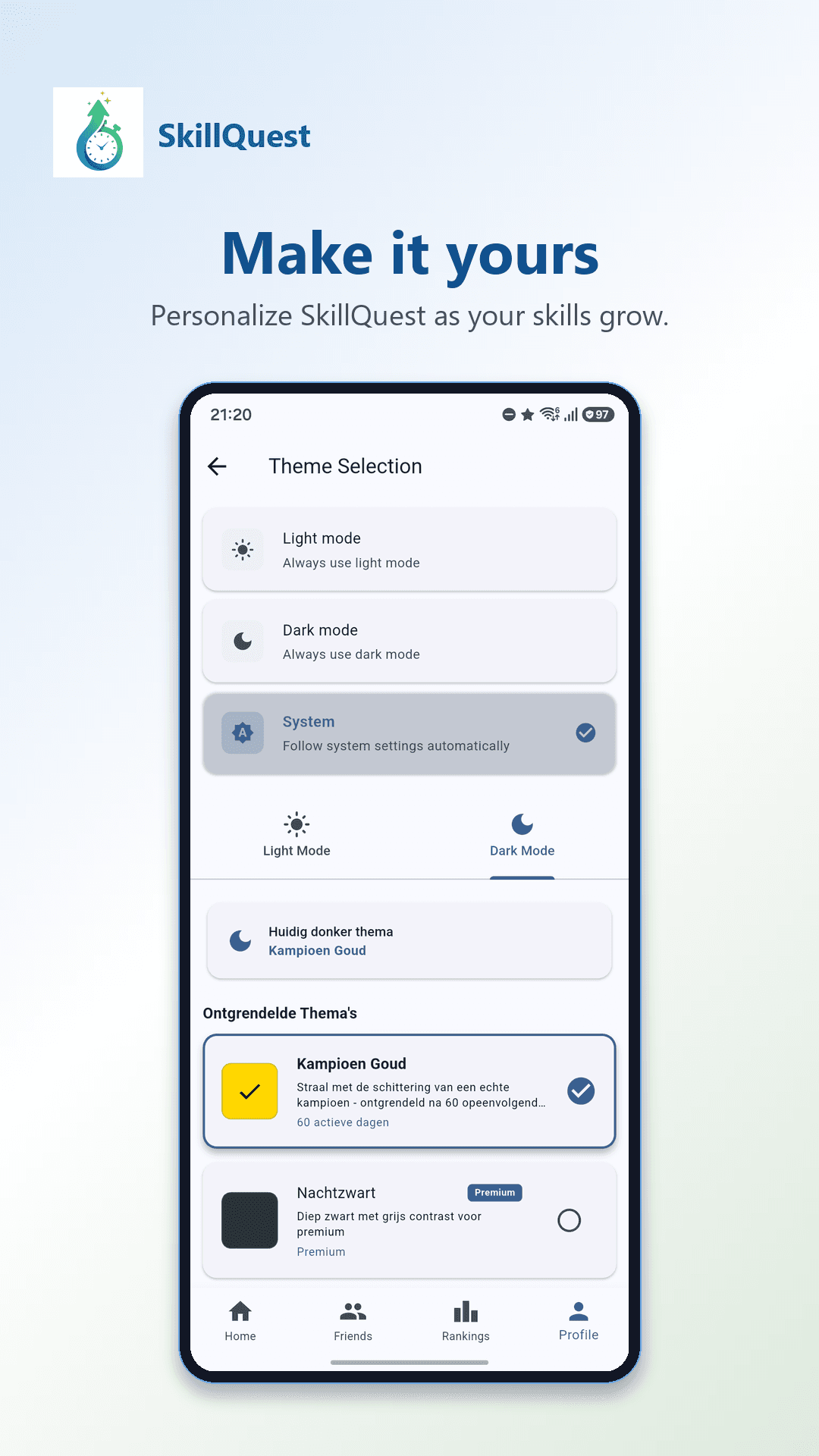
Light mode, dark mode, system mode, and a set of unlockable themes let SkillQuest look and feel the way you want, with some themes tied to your own progress.

Make SkillQuest feel like your app

Light, dark, and system mode

SkillQuest follows your device by default, but you can lock it to light or dark mode whenever you prefer.

  • System mode matches your device automatically.
  • Switch to light or dark mode manually at any time.
  • Every theme is built to Material 3 standards for consistent contrast.

Themes you unlock, not just pick

Some themes are tied to your progress, so personalization becomes another form of visible growth, not just a settings menu.

  • Unlock additional themes through consistent progress.
  • Free unlocks sit alongside Premium theme options.
  • Theme unlocks connect to the same streak and XP system as everything else.

Personalization that stays consistent

Themes change color and mood, not the structure of the app, so switching themes never means relearning where things are.

  • Consistent layout across every theme.
  • Colors adapt without breaking readability or contrast.
  • Works the same across skill tracking, timers, and statistics.

SEO

Features that turn practice into progress

SkillQuest is built around the loop that matters: choose a skill, focus, earn XP, review progress, and come back tomorrow.

app themesdark mode habit apppersonalization appunlockable themes applight dark mode app

FAQ

Does SkillQuest support dark mode?

Yes. SkillQuest supports light mode, dark mode, and a system mode that follows your device.

How do I unlock more themes?

Some themes unlock through consistent progress, such as streaks, alongside themes available with Premium.

Do themes change how the app works?

No. Themes change appearance only. Skill tracking, timers, and statistics work the same across every theme.

App Themes & Personalization | Light, Dark & Unlockable Themes | SkillQuest